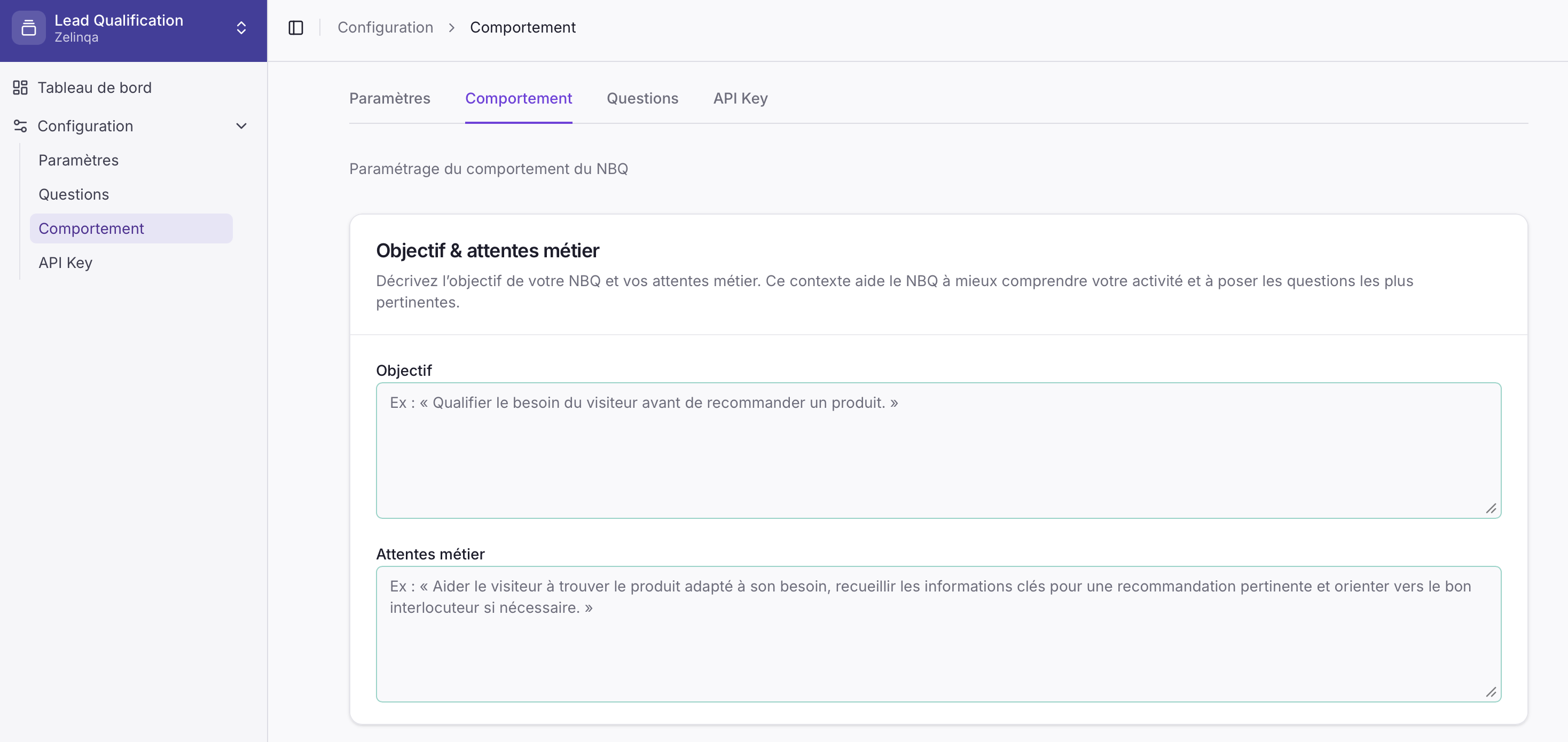
The Behaviour tab (labelled Comportement in the interface) has two free-text fields and a tone selector that shape how your agent operates.
Behaviour tab in the Zelinqa NBQ Studio
Fill in your Objective and Business expectations in plain language, then pick a Tone preset. These settings tell the engine what it is trying to achieve and how to phrase each question at runtime.

Configuration fields

FieldDescription
ObjectiveThe goal of the agent in your own words — e.g. “Qualify the visitor’s need before recommending a product.”
Business expectationsWhat you expect the agent to achieve and the key information it should collect during a conversation.
ToneA single choice among presets that shapes how each question is phrased at runtime.

Tone presets

PresetWhen to use
NeutralGeneral-purpose; no particular register
DirectConcise, no-frills phrasing
ProfessionalFormal business context
FriendlyWarm, approachable phrasing
PremiumHigh-end or luxury context
CommercialSales-oriented language
InstitutionalGovernment, healthcare, or official use
NBQ automatically reformulates the question text in the selected tone and the visitor’s detected language before returning it — the text field is ready to display as-is.

How to update

1

Open the NBQ Studio

Log in and navigate to your NBQ instance.
2

Go to Behaviour

Click Configuration → Behaviour (Comportement).
3

Fill in the fields and choose a tone

Write your Objective, Business expectations, and select a Tone preset.
4

Save

Click Save. Changes take effect immediately.