> ## Documentation Index
> Fetch the complete documentation index at: https://docs.zelinqa.ai/llms.txt
> Use this file to discover all available pages before exploring further.
# Questions
> Build and manage the question bank for your NBQ Engine.
The **Questions** tab is where you define every question the NBQ Engine can return. The engine selects from this bank based on the conversation so far and your behaviour configuration.
## Adding questions
 Click **Import questions** to load many questions at once:
1. Download the provided **template**.
2. Fill in your questions. Only the **questions** column is mandatory. An optional `categorie` column lets you assign categories — empty means the default category, and new categories are created automatically.
3. Upload the file (CSV, up to 2 MB). Imported questions are **active by default**. Duplicates already present are skipped and reported.
Click **Add Question**, fill in the question text and category, and save. An option lets you keep adding without returning to the list — useful for small sets.
## Question fields
| Field | Description |
| --------------------- | ----------------------------------------------------------------------------------------------------------------- |
| **Question text** | The wording shown to users. The NBQ Engine may refine phrasing at runtime to match your chosen tone. |
| **Category** | The group this question belongs to (see below). |
| **Active / Inactive** | Only active questions are eligible to be returned by the engine. Deactivate without deleting to pause a question. |
## Categories and priority order
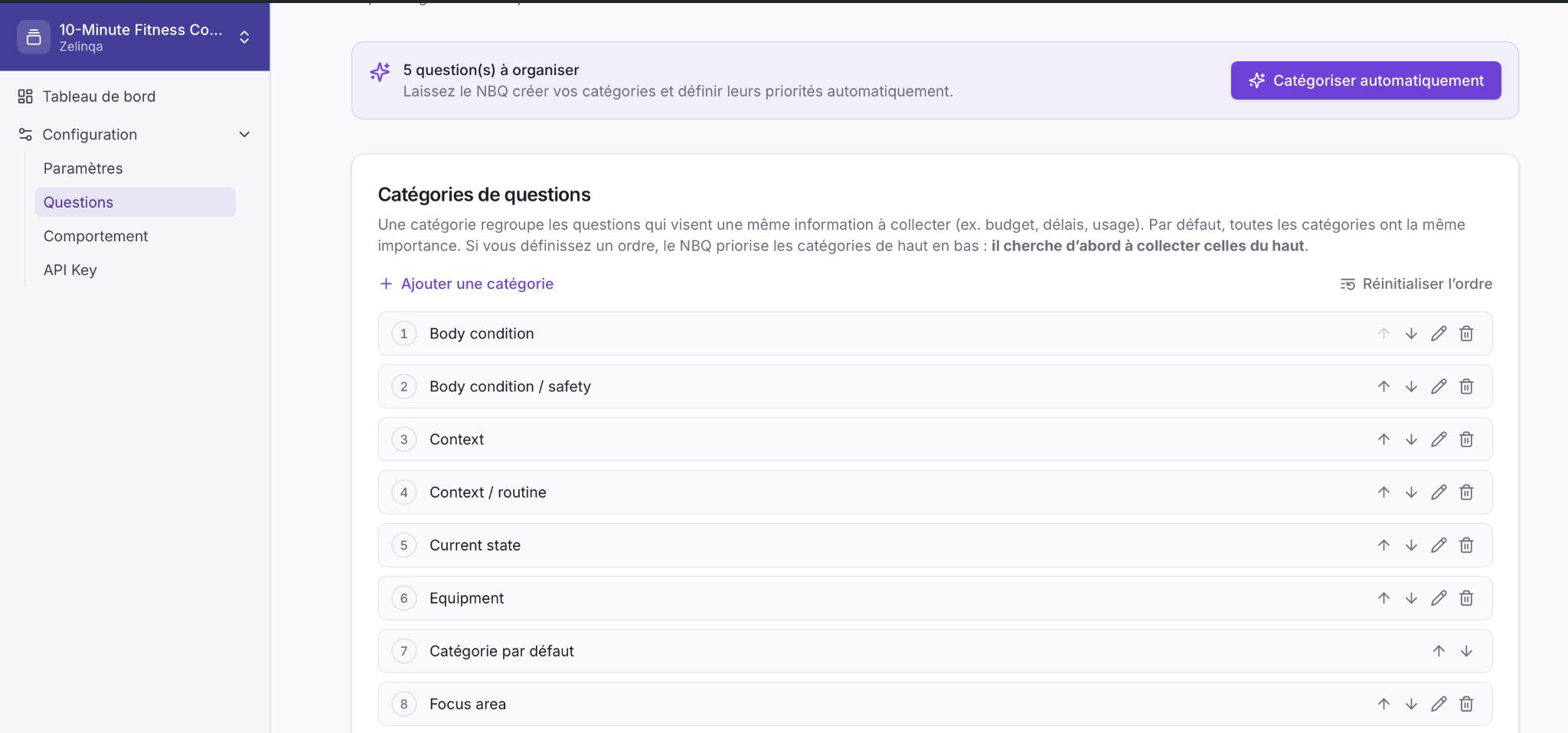
A **category** groups questions that aim to collect the same piece of information — for example, *budget*, *timeline*, or *use case*. By default all categories have equal importance.
You can optionally define a **priority order** by ranking categories top to bottom. The engine then prioritises collecting higher-ranked categories first. You can reorder with the ↑ ↓ controls next to each category, or reset to equal priority at any time.
## Auto-organise with AI
Click **Import questions** to load many questions at once:
1. Download the provided **template**.
2. Fill in your questions. Only the **questions** column is mandatory. An optional `categorie` column lets you assign categories — empty means the default category, and new categories are created automatically.
3. Upload the file (CSV, up to 2 MB). Imported questions are **active by default**. Duplicates already present are skipped and reported.
Click **Add Question**, fill in the question text and category, and save. An option lets you keep adding without returning to the list — useful for small sets.
## Question fields
| Field | Description |
| --------------------- | ----------------------------------------------------------------------------------------------------------------- |
| **Question text** | The wording shown to users. The NBQ Engine may refine phrasing at runtime to match your chosen tone. |
| **Category** | The group this question belongs to (see below). |
| **Active / Inactive** | Only active questions are eligible to be returned by the engine. Deactivate without deleting to pause a question. |
## Categories and priority order
A **category** groups questions that aim to collect the same piece of information — for example, *budget*, *timeline*, or *use case*. By default all categories have equal importance.
You can optionally define a **priority order** by ranking categories top to bottom. The engine then prioritises collecting higher-ranked categories first. You can reorder with the ↑ ↓ controls next to each category, or reset to equal priority at any time.
## Auto-organise with AI
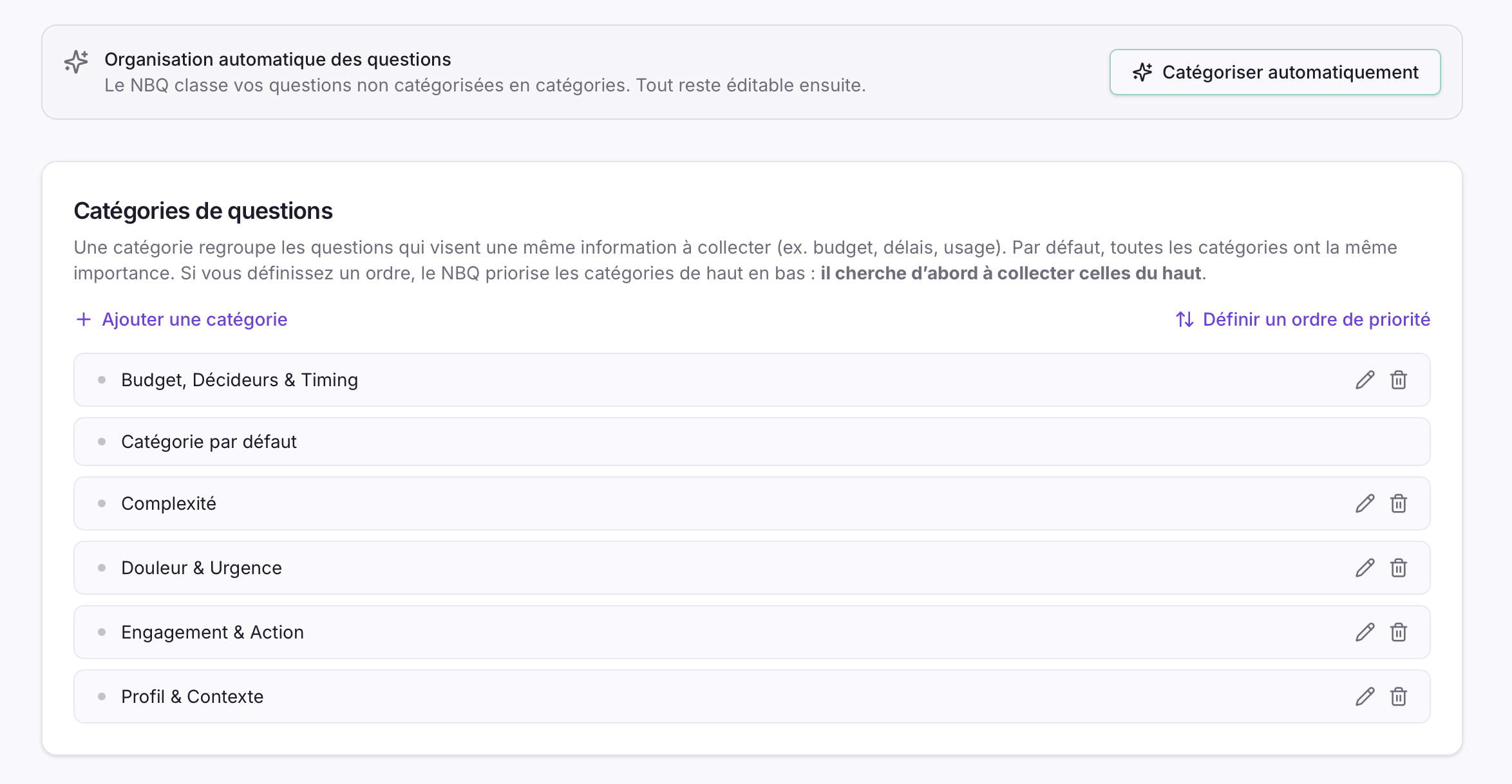 Click **Catégoriser automatiquement** to let NBQ automatically sort your uncategorised questions into coherent groups. Importantly, it also **establishes a priority order** for those categories at the same time — ranking them from highest to lowest so the engine targets higher-priority categories first. Review the result and adjust any category or order as needed. Use **Ajouter une catégorie** to create a group manually, and the **↑ ↓ arrow controls** to move categories up or down and set the priority order as you wish. Use **Réinitialiser l'ordre** to return all categories to equal priority at any time.
Auto-organise only touches questions still in the **default** category. Anything you have already organised is left untouched. It also sets an initial priority order for the categories it creates — you can freely reorder them afterwards using the ↑ ↓ arrows next to each category. It is the fastest way to finish setup right after a CSV import.
## How answered questions are tracked
Your application sends the `answered_question_ids` list with every API request. The engine automatically excludes any question whose `external_id` appears in that list — it never repeats a question.
The engine does not store which questions have been answered. Your application owns that state and sends it with each call — this is what makes the API stateless.
Click **Catégoriser automatiquement** to let NBQ automatically sort your uncategorised questions into coherent groups. Importantly, it also **establishes a priority order** for those categories at the same time — ranking them from highest to lowest so the engine targets higher-priority categories first. Review the result and adjust any category or order as needed. Use **Ajouter une catégorie** to create a group manually, and the **↑ ↓ arrow controls** to move categories up or down and set the priority order as you wish. Use **Réinitialiser l'ordre** to return all categories to equal priority at any time.
Auto-organise only touches questions still in the **default** category. Anything you have already organised is left untouched. It also sets an initial priority order for the categories it creates — you can freely reorder them afterwards using the ↑ ↓ arrows next to each category. It is the fastest way to finish setup right after a CSV import.
## How answered questions are tracked
Your application sends the `answered_question_ids` list with every API request. The engine automatically excludes any question whose `external_id` appears in that list — it never repeats a question.
The engine does not store which questions have been answered. Your application owns that state and sends it with each call — this is what makes the API stateless.