> ## Documentation Index
> Fetch the complete documentation index at: https://docs.zelinqa.ai/llms.txt
> Use this file to discover all available pages before exploring further.
# Behaviour
> Configure how the NBQ Engine approaches and phrases questions.
The **Behaviour** tab (labelled *Comportement* in the interface) has two free-text fields and a tone selector that shape how your agent operates.
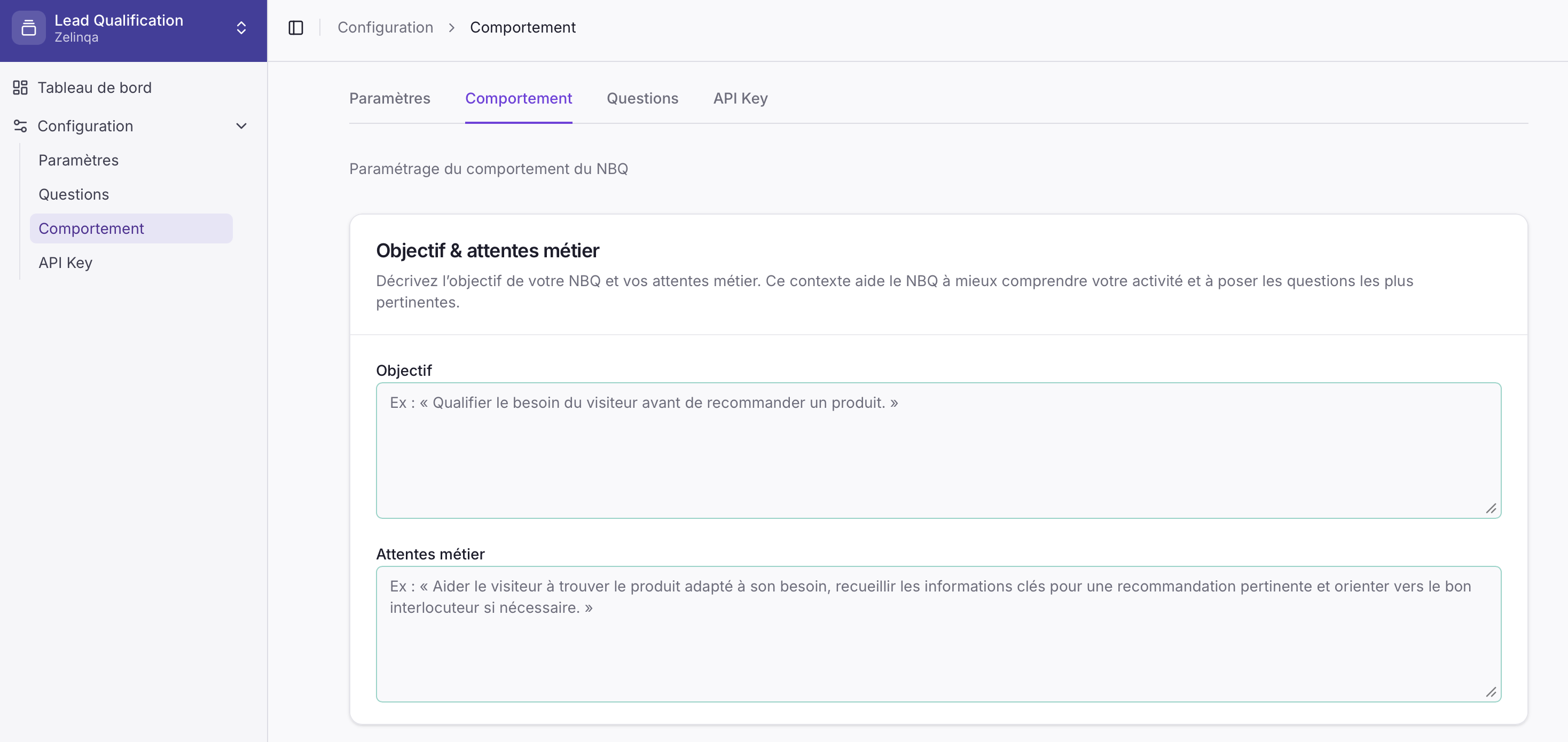 Fill in your **Objective** and **Business expectations** in plain language, then pick a **Tone** preset. These settings tell the engine what it is trying to achieve and how to phrase each question at runtime.
## Configuration fields
| Field | Description |
| ------------------------- | ------------------------------------------------------------------------------------------------------------ |
| **Objective** | The goal of the agent in your own words — e.g. *"Qualify the visitor's need before recommending a product."* |
| **Business expectations** | What you expect the agent to achieve and the key information it should collect during a conversation. |
| **Tone** | A single choice among presets that shapes how each question is phrased at runtime. |
## Tone presets
| Preset | When to use |
| ----------------- | --------------------------------------- |
| **Neutral** | General-purpose; no particular register |
| **Direct** | Concise, no-frills phrasing |
| **Professional** | Formal business context |
| **Friendly** | Warm, approachable phrasing |
| **Premium** | High-end or luxury context |
| **Commercial** | Sales-oriented language |
| **Institutional** | Government, healthcare, or official use |
NBQ automatically reformulates the question text in the selected tone and the visitor's detected language before returning it — the `text` field is ready to display as-is.
Questions are returned exactly as they were written in the NBQ Studio. No reformulation is applied, so the `text` field contains the raw wording you entered.
## How to update
Log in and navigate to your NBQ instance.
Click **Configuration → Behaviour** (*Comportement*).
Write your Objective, Business expectations, and select a Tone preset.
Click **Save**. Changes take effect immediately.
Fill in your **Objective** and **Business expectations** in plain language, then pick a **Tone** preset. These settings tell the engine what it is trying to achieve and how to phrase each question at runtime.
## Configuration fields
| Field | Description |
| ------------------------- | ------------------------------------------------------------------------------------------------------------ |
| **Objective** | The goal of the agent in your own words — e.g. *"Qualify the visitor's need before recommending a product."* |
| **Business expectations** | What you expect the agent to achieve and the key information it should collect during a conversation. |
| **Tone** | A single choice among presets that shapes how each question is phrased at runtime. |
## Tone presets
| Preset | When to use |
| ----------------- | --------------------------------------- |
| **Neutral** | General-purpose; no particular register |
| **Direct** | Concise, no-frills phrasing |
| **Professional** | Formal business context |
| **Friendly** | Warm, approachable phrasing |
| **Premium** | High-end or luxury context |
| **Commercial** | Sales-oriented language |
| **Institutional** | Government, healthcare, or official use |
NBQ automatically reformulates the question text in the selected tone and the visitor's detected language before returning it — the `text` field is ready to display as-is.
Questions are returned exactly as they were written in the NBQ Studio. No reformulation is applied, so the `text` field contains the raw wording you entered.
## How to update
Log in and navigate to your NBQ instance.
Click **Configuration → Behaviour** (*Comportement*).
Write your Objective, Business expectations, and select a Tone preset.
Click **Save**. Changes take effect immediately.